
Download Epic Browser – Secure Free Web Browser for Privacy & Ad‑Blocking
Overview
Epic Browser is a free, privacy‑focused web browser designed for users who want to browse the internet without leaving a digital footprint. Built on a hardened Chromium engine, Epic automatically routes traffic through a built‑in VPN‑like proxy, encrypts data, and disables trackers, cookies, and fingerprinting scripts by default. The result is a clean, minimal interface that keeps your online activity hidden from advertisers, ISPs, and even government surveillance in restrictive regions such as China, the United States, and Nigeria.
What sets Epic apart from mainstream browsers is its “always‑incognito” philosophy. Unlike standard incognito windows that simply stop saving history locally, Epic goes a step further by stripping away all identifying headers before the request leaves your device. This means that every page you visit is automatically served over a secure HTTPS connection whenever possible, and any attempt to collect your personal data is blocked at the network level.
While the emphasis on security sometimes adds a slight delay to page loads, most users find the trade‑off worthwhile because it eliminates unwanted ads, pop‑ups, and tracking scripts. The browser also includes a built‑in ad blocker that removes intrusive banner ads without requiring third‑party extensions. For people living under strict internet censorship, Epic offers a reliable way to bypass geo‑restrictions and access blocked content safely.
Overall, Epic Browser delivers a powerful combination of privacy, security, and ad‑free browsing—all at zero cost. Its simple setup, cross‑platform availability, and commitment to “no‑trace” browsing make it an attractive alternative for anyone concerned about their digital privacy.
Key Features
- Always‑On Private Mode: Every session runs in a sandboxed environment that automatically deletes cookies, cache, and history after the tab is closed.
- Built‑In Proxy & Encryption: Traffic is routed through Epic’s proxy network and forced to use HTTPS, protecting data from eavesdropping.
- Integrated Ad Blocker: Blocks banner ads, video pre‑rolls, and pop‑ups without needing additional extensions.
- Tracker & Fingerprint Protection: Disables scripts that attempt to identify your device, location, or browsing habits.
- Secure Search Engine: Uses a privacy‑first search provider that does not log queries or associate them with user profiles.
- One‑Click VPN Alternative: Enables a lightweight VPN‑like connection with a single toggle, ideal for accessing geo‑blocked sites.
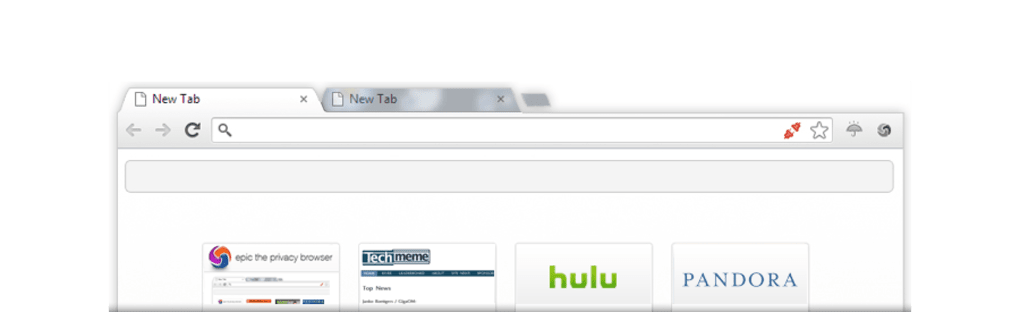
- Lightweight Interface: Minimal UI elements keep the browsing experience uncluttered and fast to navigate.
- Cross‑Platform Support: Available for Windows, macOS, Android, and iOS, ensuring consistent protection across devices.
- Automatic Updates: Regular security patches and feature upgrades are delivered silently in the background.
- Open‑Source Components: Core Chromium base is open source, allowing the community to audit security implementations.
Installation, Usage & Compatibility
How to Install Epic Browser
Installing Epic Browser is straightforward on all supported operating systems. Follow the steps below for a smooth setup:
- Visit the official Epic website (https://www.epicbrowser.com) and click the Download button that matches your OS.
- For Windows, download the
.exeinstaller; for macOS, download the.dmgfile; Android users can find the app in the Google Play Store, and iOS users can download from the App Store. - Run the installer and follow the on‑screen prompts. The installer will automatically configure the browser to launch in private mode and enable the built‑in proxy.
- Once installation completes, launch Epic Browser from your desktop shortcut or app drawer.
- On first launch, you’ll be greeted with a short tutorial that explains the privacy features and how to toggle the proxy.
First‑Time Usage Tips
Epic Browser is ready to protect you immediately, but a few tweaks can improve your experience:
- Set a Default Search Engine: Navigate to Settings → Search and choose the privacy‑oriented search provider that best fits your needs.
- Manage Proxy Preferences: The proxy can be turned on or off with a single button in the toolbar, allowing you to conserve bandwidth when you don’t need extra anonymity.
- Whitelist Trusted Sites: If you need to keep cookies for a particular site (e.g., banking), add it to the “Trusted Sites” list under Privacy Settings.
- Sync Across Devices: While Epic does not store browsing history, you can sync bookmarks securely using a third‑party password manager.
Operating System Compatibility
Windows: Supports Windows 10 and later (64‑bit). The browser leverages the latest Chromium security patches and integrates seamlessly with Windows Defender.
macOS: Compatible with macOS 10.14 (Mojave) and newer. Uses Apple’s Gatekeeper to verify the app’s integrity.
Android: Requires Android 6.0 (Marshmallow) or higher. Optimized for low‑memory devices while maintaining privacy features.
iOS: Works on iOS 12 and later. Due to Apple’s sandbox restrictions, the built‑in proxy functions through Apple’s Network Extension framework.
Across all platforms, Epic Browser receives automatic updates that keep the security layers current without manual intervention. This ensures that users always benefit from the latest encryption standards and privacy enhancements.
Pros and Cons
Advantages
- Completely free with no hidden subscription fees.
- Always‑on private mode eliminates the need to remember to open incognito windows.
- Built‑in ad blocker removes intrusive ads, improving page readability.
- Proxy and HTTPS enforcement protect data from ISP and government monitoring.
- Cross‑platform availability ensures consistent privacy on desktop and mobile.
- Lightweight UI reduces visual clutter and focuses on core browsing tasks.
Drawbacks
- Page load times can be slightly longer due to proxy routing and extra security checks.
- Search results may appear less relevant because the default privacy search engine prioritizes anonymity over personalization.
- Some complex web applications (e.g., certain banking portals) may require manual whitelisting of cookies.
- Lack of extensive extension ecosystem compared to Chrome or Firefox.
- Limited customization options for UI themes and toolbar layout.
Frequently Asked Questions
Is Epic Browser really free?
Yes, Epic Browser is completely free to download and use. There are no hidden fees, premium tiers, or mandatory subscriptions. All privacy and security features are included out‑of‑the‑box.
How does Epic Browser protect my data from government surveillance?
Epic routes every request through an encrypted proxy that strips identifying headers and forces HTTPS connections. This makes it extremely difficult for ISPs or government firewalls to see which sites you visit or read the content of your traffic.
Can I use Epic Browser alongside other browsers?
Absolutely. Epic operates independently and does not interfere with other browsers installed on your device. You can switch between them as needed, and each will retain its own settings and data.
Does Epic Browser block all ads?
Epic includes a built‑in ad blocker that removes most banner, video, and pop‑up ads. While it catches the majority of unwanted content, a small number of native ads embedded directly in page code may occasionally slip through.
What should I do if a website doesn’t load correctly?
If a site fails to load, try disabling the built‑in proxy for that session via the toolbar toggle. Some websites block proxy traffic. You can also add the site to the “Trusted Sites” list to allow cookies and normal HTTP connections.
Conclusion & Call to Action
Epic Browser delivers a compelling blend of privacy, security, and ad‑free browsing without charging a single cent. Its always‑on incognito mode, encrypted proxy, and robust tracker blocking make it a solid choice for users who value anonymity—whether they are surfing from restrictive regions or simply want to keep their online habits private.
While the extra security layers may introduce a modest performance overhead, the peace of mind gained from hidden browsing, encrypted data, and ad‑free pages is well worth the trade‑off for most privacy‑conscious users. If you’re ready to take control of your digital footprint, download Epic Browser today and experience a cleaner, safer web.
Download Epic Browser now and start browsing without leaving a trace.







